
New expense or entry
Date, amount in pesos, payee, category and description in a simple form.
Record each expense with its proof, sort it by category and get the journal and PDF summaries whenever you need them.
Loose receipts and month-end expense reports are a constant source of errors and complaints.
Receipts get lost or arrive unreadable when it's finally time to report.
Rebuilding weeks of spending from memory leads to differences and double work.
It's hard to know what you're really spending on: transport, office, technology or others.
Rinde Cuentas records the expense on the spot, with its receipt, and leaves the report ready.
Real screenshots of the tool on desktop and mobile, plus a 60-second tutorial with the most-used steps.
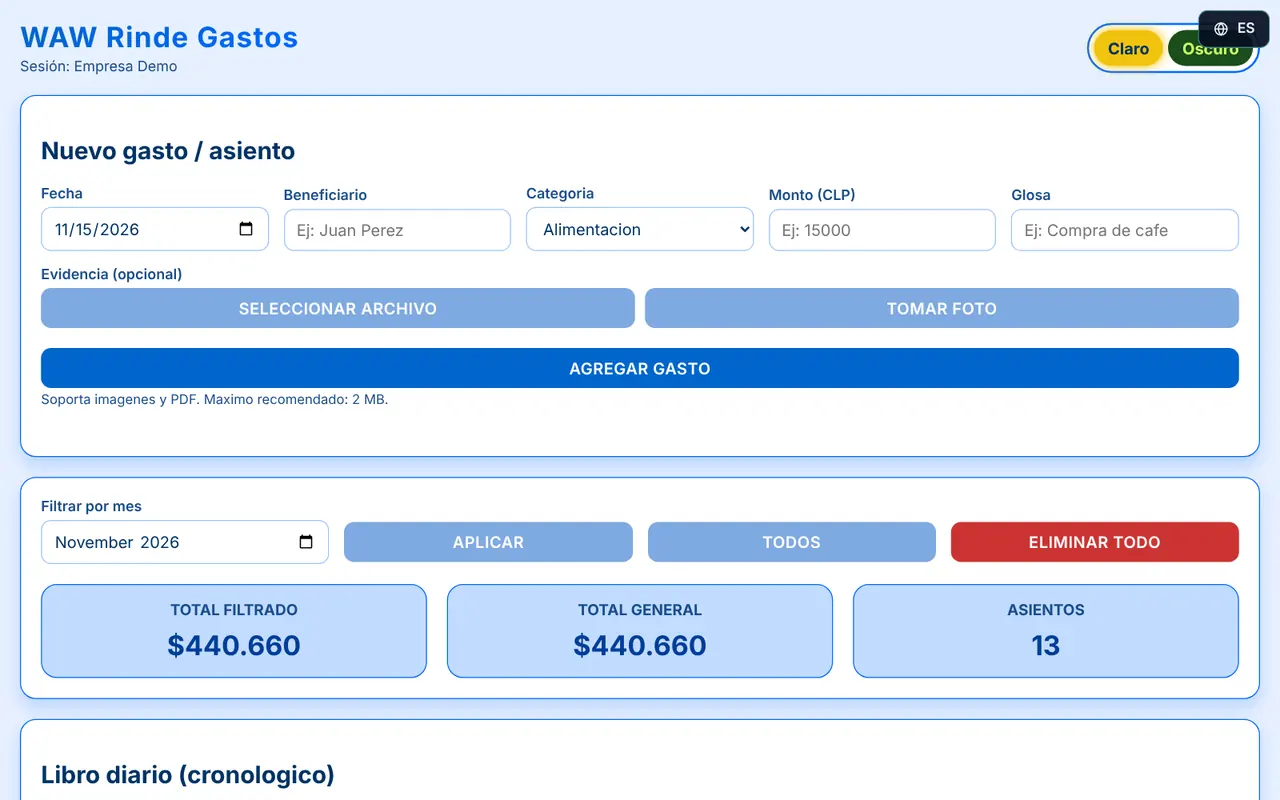
A simple flow for whoever spends and whoever reviews.
Date, amount in pesos, payee, category and description in a simple form.
Attach a file or take a photo of the receipt from your phone.
Food, marketing, office, utilities, technology, transport and others.
Chronological record with debit and credit columns.
Review only the period you need and go back to everything whenever you want.
Filtered total and grand total always visible while you work.
Download the journal ready for filing or handing in.
Spending summary by category to analyse and report.
Watch the steps like a short video. Tap right to go forward, left to go back, and press and hold to pause.
We show you where to click and what to fill in on each screen. Move forward with the buttons, the keyboard arrows or by tapping the highlighted element.
You record the expense with its photo, find it in the journal and download the report in PDF.
Report each expense on the spot with a photo of the receipt, and download the journal or the summary by category in PDF.
How to open Rinde Cuentas from any device.
One expense = one entry in the journal.
Record the expense as soon as you pay: it's easier than rebuilding the month at the end.
The photo of the receipt backs up the report.
All entries in chronological order.
«Delete all» erases every record: use it only if you really want to start from scratch.
What you hand in to finance or accounting.
Still have a question? Message us on WhatsApp o request a guided demo.
Each solution is independent, but they share access and the same way of working.
Proof is optional, but we recommend attaching it: it stays linked to the expense and makes any review easier.
Food, marketing, office, utilities, technology, transport and others.
The chronological journal and a summary of spending by category, both in PDF.
Yes. It works on phones, tablets and computers, and lets you take the photo of the receipt directly.
Tell us about your case and we'll show you the tool working with your operation. No commitment.